WhatsApp message templates examples, sorted by what Meta charges for them
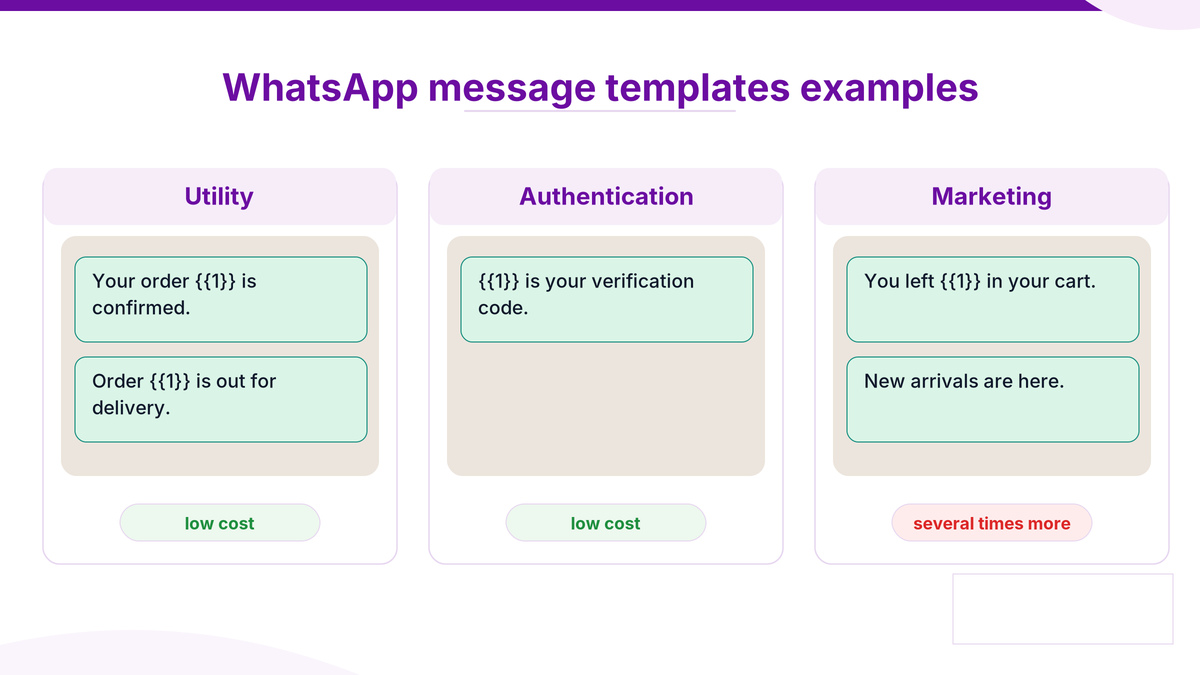
Table of Contents
Read the category before the copy
Most collections of WhatsApp message templates examples sort by use case. That is the wrong sort order. Meta sorts by category, and the category sets both the price and whether the template gets approved.
So every example below is labelled with the category it falls into. Get that wrong and a template either costs seven times what you expected or never goes live.
The three categories these WhatsApp message templates examples fall into
Category | What it may contain | Relative cost |
|---|---|---|
Utility | An update tied to something the customer actually did | Low |
Authentication | A one time code and nothing else | Low |
Marketing | Anything with a sales intent, however gently phrased | Several times utility |
Meta sets those categories on its platform pricing page, and the full picture is in our WhatsApp API conversation pricing guide. For these WhatsApp message templates examples, the short version is that one promotional line moves a template from the cheap column to the expensive one.
WhatsApp order update template example
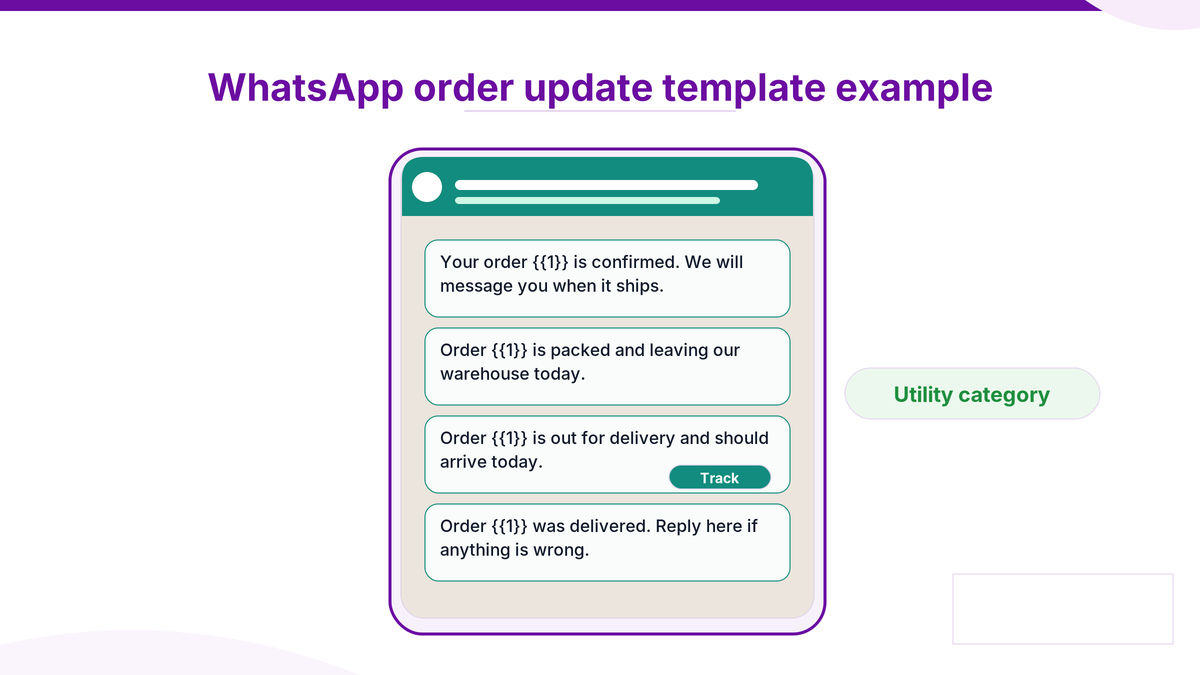
The one almost every business builds first, and comfortably the best value. Utility category, tied to a real action, and it deflects support calls.
Confirmed. Your order {{1}} is confirmed. We will message you when it ships.
Packed. Order {{1}} is packed and leaving our warehouse today.
Out for delivery. Order {{1}} is out for delivery and should arrive today.
Delivered. Order {{1}} was delivered. Reply here if anything is wrong.
Note what none of them do. No discount, no next purchase nudge, no newsletter invitation. Add any of those and this WhatsApp order update template example becomes a marketing template at several times the cost.
The variable discipline
One or two variables per template, and never a template that is mostly variables. A template with five placeholders and six words of fixed text carries nothing for a reviewer to approve, which is why it gets refused.
WhatsApp appointment reminder template
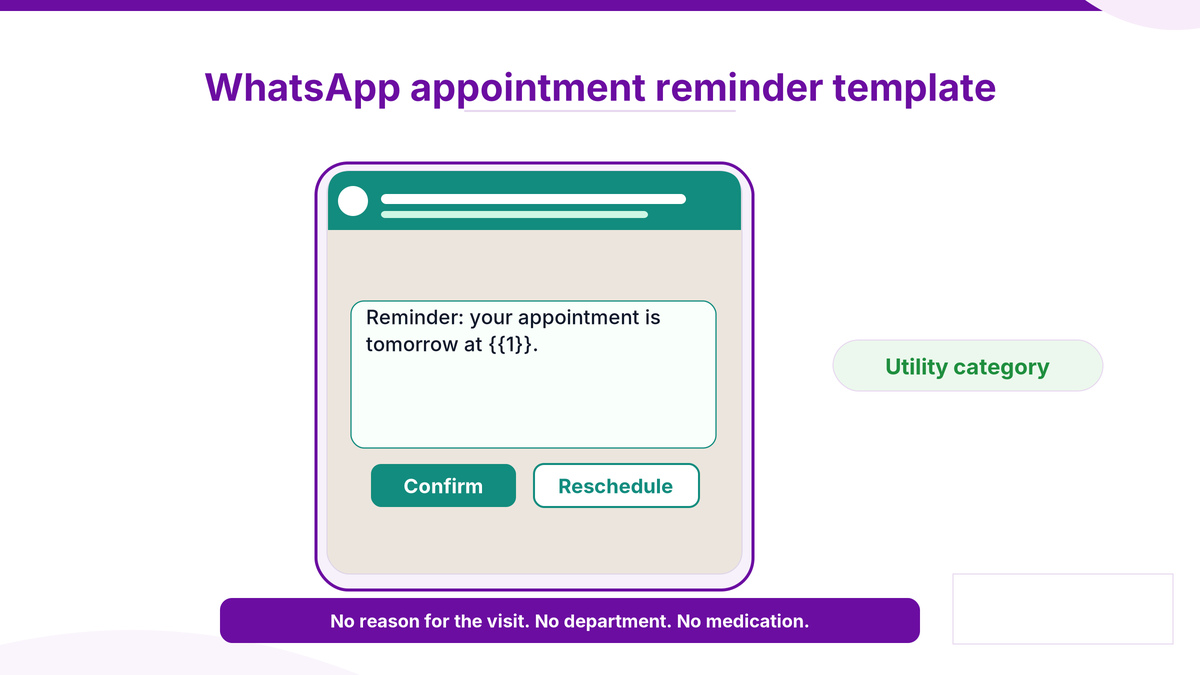
The safest of these WhatsApp message templates examples, because it contains nothing sensitive if someone reads it over a shoulder.
On booking. Your appointment is confirmed for {{1}} at {{2}}, with {{3}}.
Day before. Reminder: your appointment is tomorrow at {{1}}. Reply CONFIRM or RESCHEDULE.
After. Thanks for visiting. Your invoice is ready in your account.
What is deliberately absent is the reason for the visit. A reminder naming a department can disclose a condition, which is the discipline set out in our WhatsApp for healthcare India guide.
WhatsApp OTP template example
The strictest category, and the one with the least room to be clever.
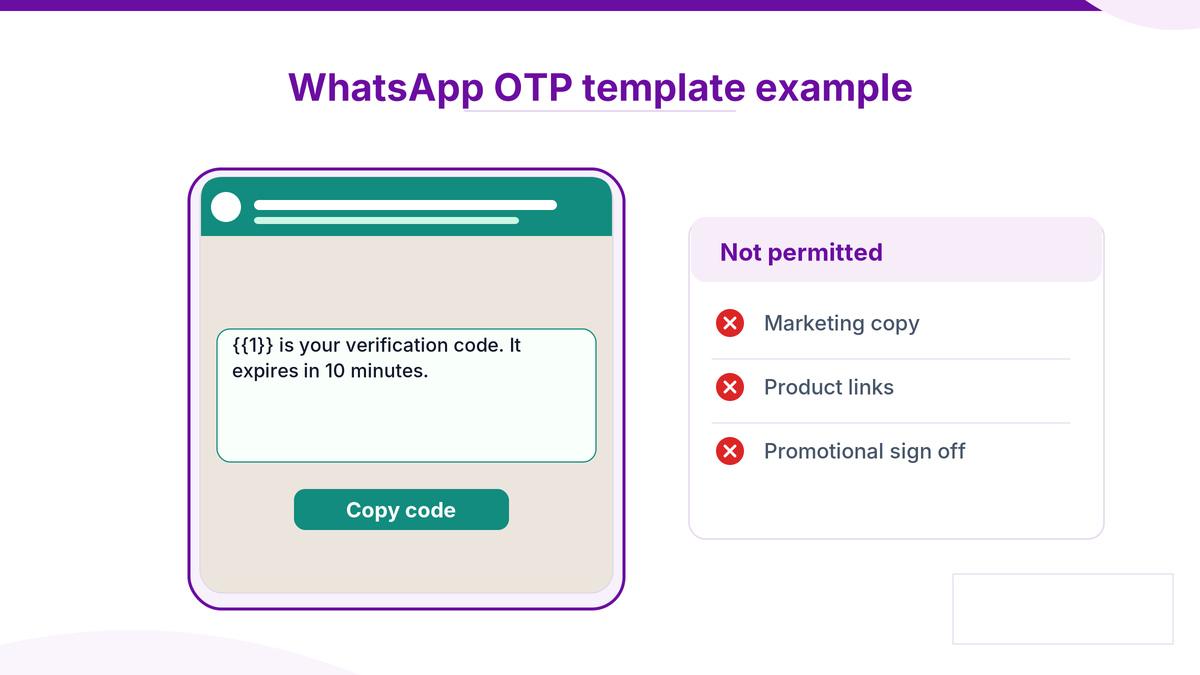
Login code. {{1}} is your verification code. It expires in 10 minutes.
Transaction code. {{1}} is your code to authorise this transaction. Do not share it.
Authentication templates may carry the code, a validity note and a copy button. They may not carry marketing copy, a product link or a sign off that reads like an advertisement. A WhatsApp otp template example that tries to sell something is refused, and repeated attempts affect the whole account.
Why OTPs often stay on SMS
Not a template problem. WhatsApp OTPs depend on the customer having the app and being reachable, and a code that arrives late is worse than one that costs more. Many Indian businesses keep OTPs on SMS for exactly that reason.
WhatsApp abandoned cart template
The one that earns the most and costs the most. Marketing category, no exceptions, and no phrasing makes it otherwise.
First nudge, a few hours later. You left {{1}} in your cart. Still interested?
Second, next day. {{1}} is still available. Complete your order here.
Two sends is usually the limit before block rate starts moving. A WhatsApp abandoned cart template on a third or fourth send stops being a reminder and starts being the reason someone blocks the number, which feeds straight into quality rating.
The full recovery sequence is in WooCommerce abandoned cart on WhatsApp.
Why these WhatsApp message templates examples get rejected
Category mismatch. Sales intent submitted as utility. Meta policy reads intent, not the label
Too many variables. Nothing substantial left to review
Unwhitelisted links. Any URL has to be registered, shortened ones included
Wording that drifts. What you send must match what was approved, punctuation included
The approval mechanics are covered in the WhatsApp API setup guide, and the rules for sending at volume in sending bulk WhatsApp messages legally.

Common questions
Can I copy these WhatsApp message templates examples directly?
Use them as a shape, not a script. Write from a message you actually send, because what you submit has to match what you will send.
Does a WhatsApp order update template example ever count as marketing?
Yes, the moment you add an offer, a cross sell or a newsletter prompt. Then it bills at the marketing rate.
What must a WhatsApp otp template example leave out?
Marketing copy, product links and promotional sign offs. Authentication templates carry the code, a validity note and a copy button.
How many times can I send a WhatsApp abandoned cart template?
Two is the practical limit. Beyond that block rate rises and the quality rating falls, which costs more than the recovered carts are worth.
Can a WhatsApp appointment reminder template name the department?
Better not to. Naming a department can disclose a condition to anyone who sees the screen. Date, time and practitioner is enough.
Where to start with Celitix
Celitix submits templates and chases approvals, and will tell you before submission if a template is going to be recategorised as marketing rather than after the first invoice.
Ask Celitix to review your templates