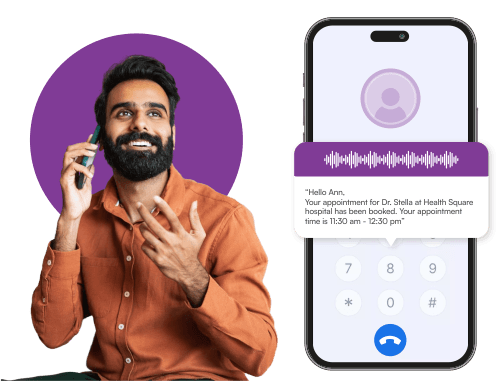


Collections and payment reminders
A voice call is harder to ignore than a text and carries more weight. Bulk voice call service campaigns for overdue payments consistently recover more than the same message sent by SMS.
Manual dialling caps you at roughly sixty calls per agent per day, most of which go unanswered. The cost per connected conversation is the number that usually ends the debate.
An outbound dialer places thousands of calls at once, plays a recorded or text-to-speech message, retries unanswered calls, and connects interested customers directly with agents.
Create, schedule, and track outbound voice calling campaigns with cross-channel automations.
Use pre-recorded or AI-powered text-to-speech voice clips to deliver personalised voice messages.
Automatically retry unanswered calls or switch to other channels like SMS marketing or WhatsApp as backup.
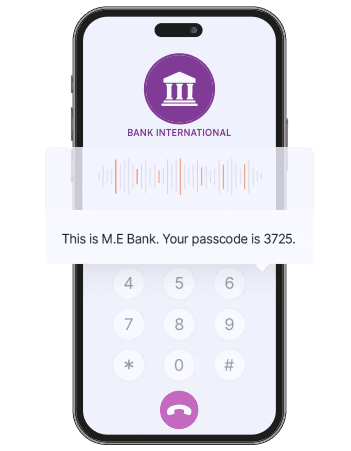
Connect your inbound dialler and IVR system, set a custom menu, and let users connect to a live agent with a keypress.
Get insights regarding delivery, answer status, call duration, and user responses instantly.
Log every call and interaction into your CRM. Optimise, automate or personalise future touchpoints.
Intelligent, scalable, and flexible outreach built for today's customer.
Integrate the dialler with IVR, SMS, WhatsApp, and email from one dashboard.
Build workflows that trigger voice calls, follow-ups, and actions based on customer behaviour.
Track performance live, manage retries, and personalise outreach with no coding.

Run smarter voice campaigns and reach more customers quickly with the Celitix outbound dialer.
Four things the dialler does once a campaign is running.

Connect with thousands of users simultaneously through automated calls.
Save time and manpower by replacing manual dials with AI-driven text-to-speech and automation.
Run promotional, transactional, or survey voice campaigns in any language.
Trigger messages on the WhatsApp Business API or other workflows once calls end for a seamless customer journey.
Four situations where a voice call reaches someone that an SMS or a WhatsApp message will not.
A voice call is harder to ignore than a text and carries more weight. Bulk voice call service campaigns for overdue payments consistently recover more than the same message sent by SMS.
Outages, safety notices, and schedule changes need to land now. A voice broadcast service India operators rely on reaches people who do not check messages, including those on feature phones.
Key press surveys collect responses from customers who would never open a link, which is most of them in rural and semi-urban segments.
An auto dialer software India teams run can call an entire list, play a short offer, and connect only the people who press a key to your sales desk, feeding missed call services the ones who prefer to call back instead.
Five steps from upload to report, with retries and fallback handled without anyone watching.
Import numbers from a file or pull them live from your CRM, with DND scrubbing and DLT registration for SMS checks applied before anything dials.
Upload an audio clip or write the script and let text-to-speech read it, with variables for name, city, or amount.
Decide what each keypress does: repeat, connect to an agent, opt out, or trigger a follow-up message.
Choose the send window and the calling rate, so you stay inside permitted hours and your agents are not swamped.
Unanswered numbers are retried on your schedule, then switched to SMS or WhatsApp, with every outcome logged.

Deliver updates, reminders, or offers to thousands instantly with the Celitix outbound dialler.
Keep outbound voice campaigns connected to the rest of the full CPaaS platform.
An outbound dialer service automates outgoing voice calls for alerts, campaigns, reminders, and support. Instead of agents dialling manually, the system places calls at volume, plays a message, and connects only the people who respond to a human.
Yes. Use variables such as name, region, due date, or order number inside text-to-speech campaigns, so every call sounds specific to the person receiving it rather than to the list they are on. See Celitix voice and messaging channels.
Yes. Both recorded audio clips and text-to-speech messages can be multilingual, and you can segment a single campaign so each group hears the language it actually speaks.
Retry the call on a schedule you set, or trigger a fallback on SMS or WhatsApp. Most campaigns use both, because the combination reaches materially more people than either alone.
Yes. A recipient presses a key during the call and is transferred to an available agent immediately, with the campaign and their keypress already visible to whoever answers.
Every campaign logs delivery status, call duration, IVR responses, retries, and fallback outcomes. Reporting runs per campaign and per number, so you can see which list and which script actually worked.
Promotional voice calling is subject to DND registration and permitted calling hours. Celitix applies DND scrubbing before dialling and restricts campaigns to allowed windows. Confirm the current rules for your category with your account manager before a large promotional run.


