WhatsApp catalog integration, three routes and the one that keeps working
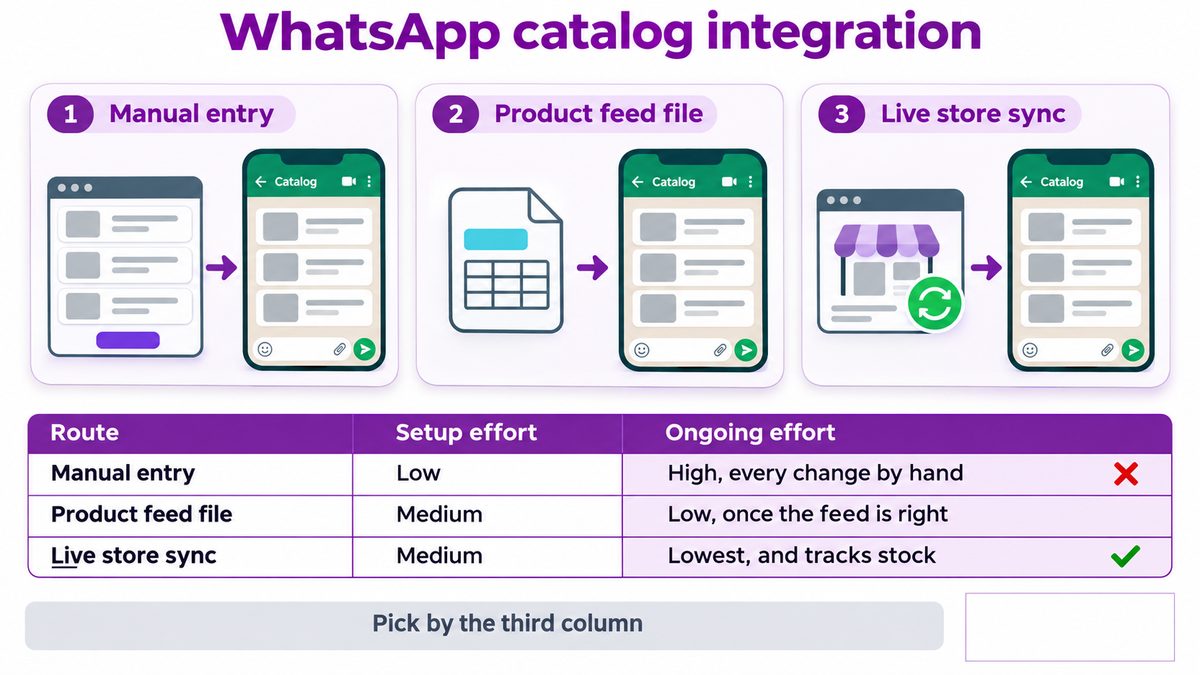
Table of Contents
Three ways to do a whatsapp catalog integration
They differ in one thing that matters more than setup time, which is how much work the catalogue costs you every week afterwards.
Route | Setup effort | Ongoing effort |
|---|---|---|
Manual entry in the Business app | Low | High, every price and stock change by hand |
Product feed file | Medium | Low, once the feed is generated correctly |
Live store sync | Medium | Lowest, and the only one that tracks stock |
Pick by the third column. Manual looks like the easy option for an afternoon and becomes the reason your catalogue shows last quarter's prices.
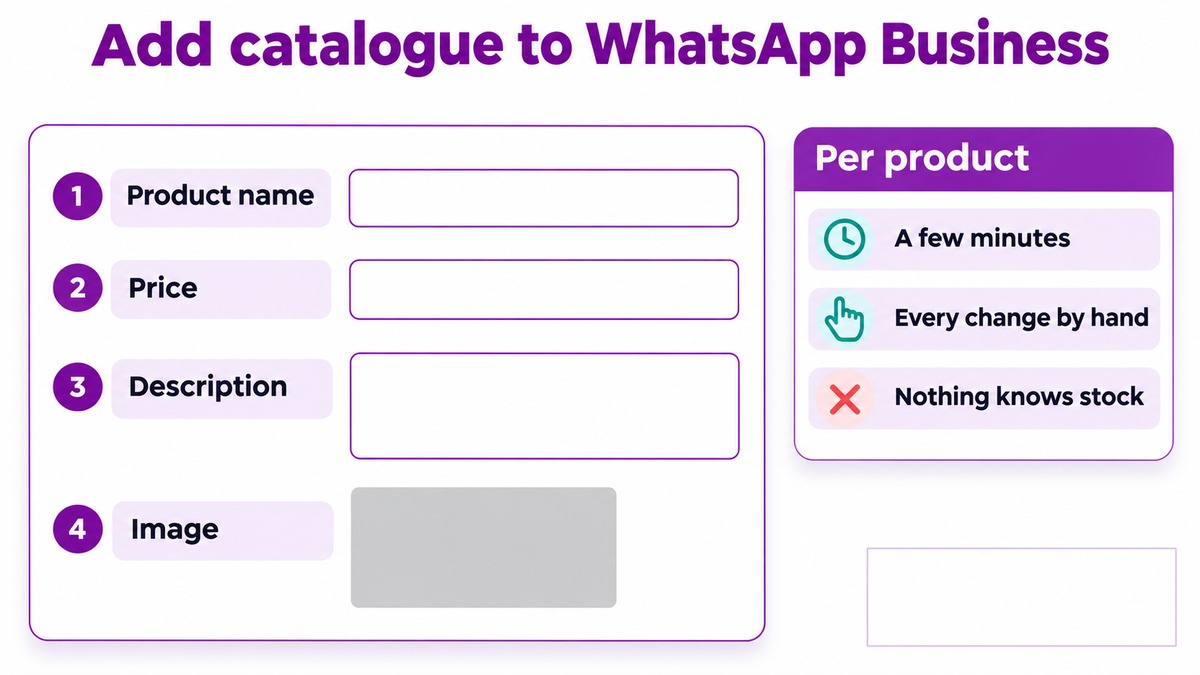
Add catalogue to whatsapp business, the manual whatsapp catalog integration
This is the right route in exactly one case: a small, stable range you rarely change. Under twenty products that do not move in price, done once.
Name, price, description and one good image per product
Budget a few minutes per product, so a hundred products is a day's work
Every price change is a manual edit, in two places if your store is the other
Nothing knows about stock, so you will sell something you do not have
That last point ends the argument for most sellers. A customer who is told in a conversation that something is available, then told it is not, is a worse outcome than a store page that was simply out of date.
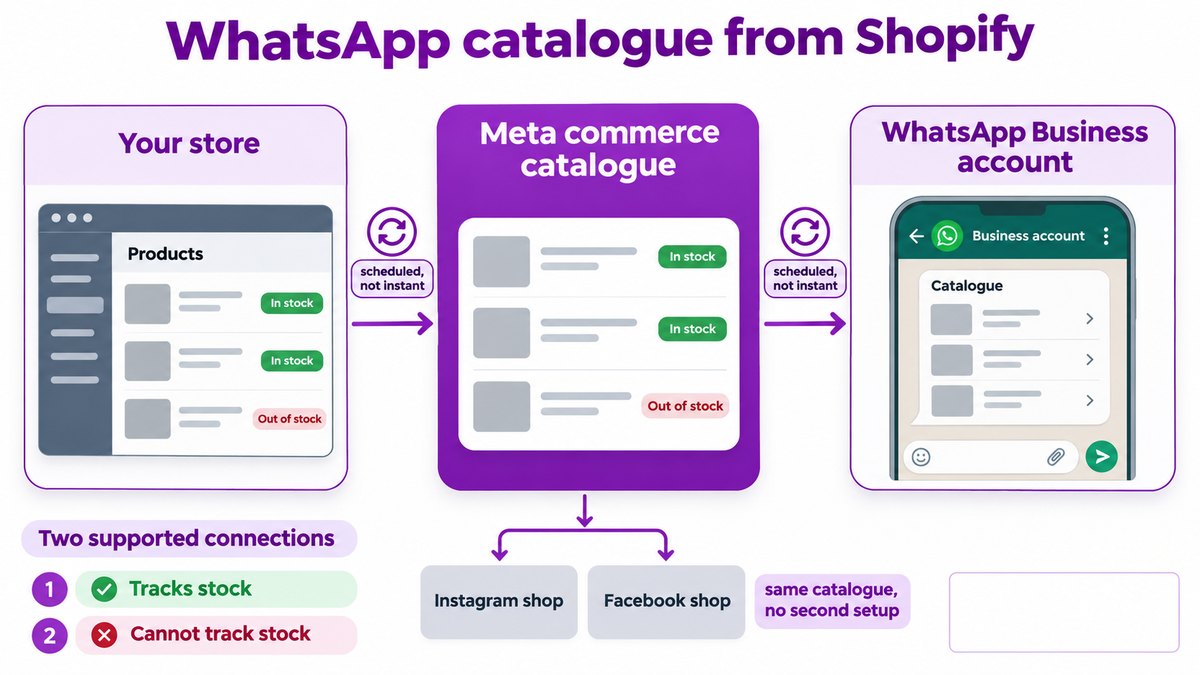
WhatsApp catalogue from shopify
The cleanest route, because it runs through a supported path rather than a workaround.
Shopify connects to a Meta commerce catalogue, and the WhatsApp Business account reads from that catalogue. You are not building a bridge, you are turning on two connections that are designed to exist. Meta documents the catalogue side in its catalogue documentation.
Collections map to catalogue sets, so decide which collections belong in a chat before you connect
Sync is scheduled, not instant. A price change takes time to appear
Variants need care. Size and colour variants can arrive as separate products and clutter the catalogue
Rejections are per product. One disallowed item does not stop the rest
The scheduled sync is worth planning around. If you run flash pricing, the catalogue will lag it, and the honest fix is not to put flash priced items in the chat catalogue at all.
Shopify sellers get one more advantage from this whatsapp catalog integration route. Because the catalogue lives in Meta rather than in a file you maintain, the same products are available to Instagram and Facebook shops without a second setup.
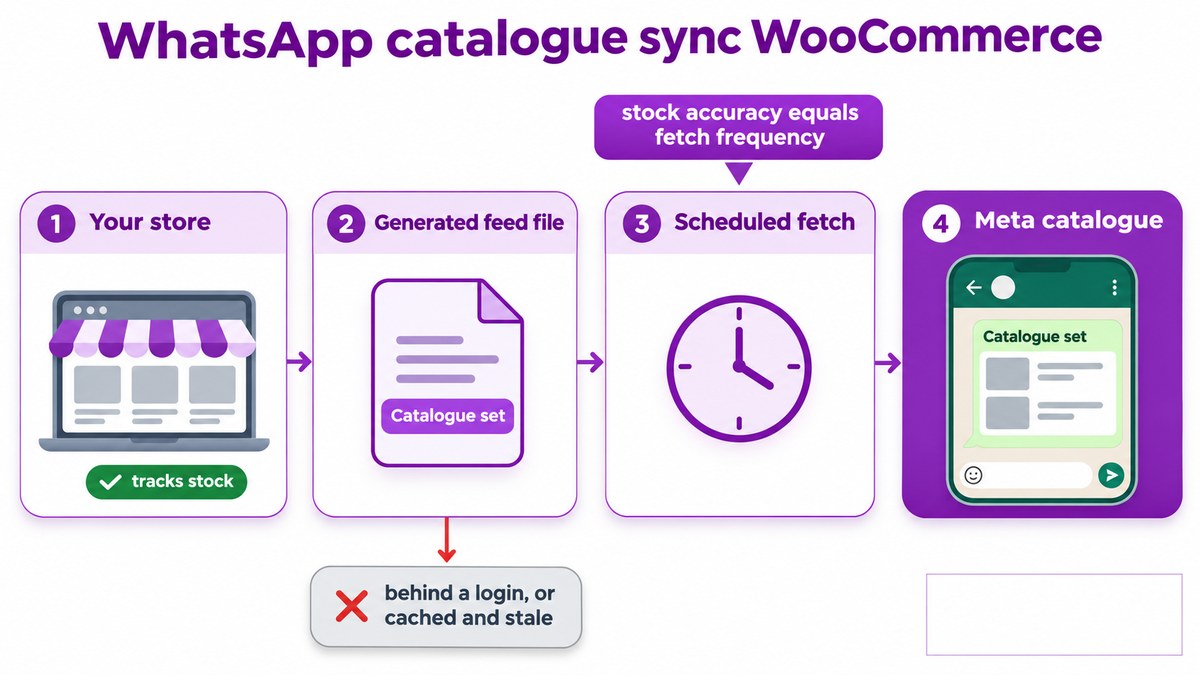
WhatsApp catalogue sync woocommerce
WooCommerce gets there through a product feed rather than a native channel, which means one more moving part.
A plugin generates the feed, usually as an XML or CSV file at a fixed URL
Meta fetches it on a schedule that you set, hourly at best on most setups
Required fields are strict. Missing a condition or availability field rejects the row silently
Stock accuracy equals fetch frequency. Hourly fetch means your catalogue can be an hour wrong
Check the feed URL loads for a logged out visitor. A feed sitting behind a login or a caching plugin that serves a stale copy is the most common reason a whatsapp catalogue sync woocommerce setup appears to work and then quietly stops updating.
Validate the feed before blaming Meta
Open the feed URL in a private window and read it. If prices or stock are wrong there, nothing downstream will be right, and you will spend a week looking in the wrong place.
WhatsApp catalogue product limit
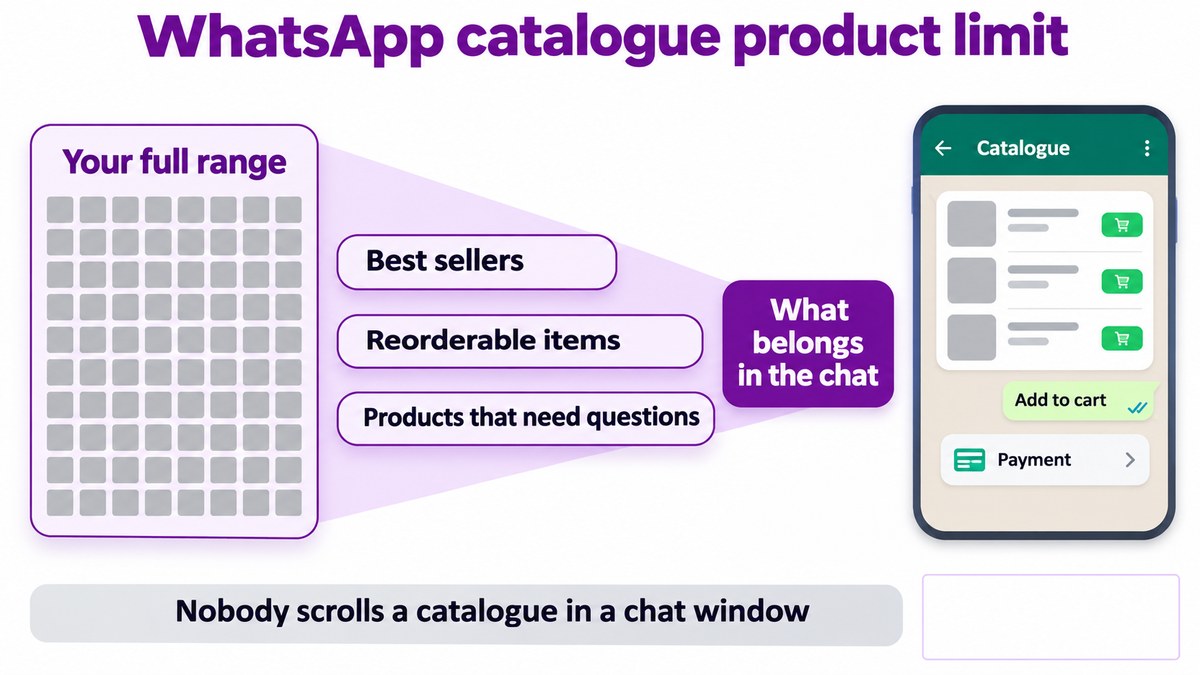
There is a ceiling on catalogue size, and more usefully there is a practical ceiling far below it.
Nobody scrolls a two thousand item catalogue in a chat window. The interface is not built for browsing, which means a whatsapp catalog integration that mirrors your entire range has solved a technical problem and created a usability one.
Best sellers. The twenty items that are most of your revenue
Reorderable items. Anything a returning customer buys again
Products that need questions. Where the conversation is the reason the sale happens
Everything else stays on your store, where a grid and a search box do a better job. Curating down is not a limitation you are working around, it is the correct whatsapp catalog integration design.
A useful test before launch: open your own catalogue on a phone and try to find a specific product the way a customer would. If it takes more than a few taps, the catalogue is too big.
What you may list at all is separate. Meta prohibits fourteen product categories outright, covered in selling products on WhatsApp, and the wider stack is in the conversational commerce platform guide.
Common questions
What is the best whatsapp catalog integration route?
Should I add catalogue to whatsapp business manually?
How do I set up a whatsapp catalogue from shopify?
Why has my whatsapp catalogue sync woocommerce stopped updating?
What is a sensible whatsapp catalogue product limit?
Where to start with Celitix
Celitix will tell you which route your store supports and what the sync interval actually is, rather than promising live stock it cannot deliver.
Ask Celitix about your store's sync