Shopify order updates whatsapp, the four events worth messaging about
Shopify sends a confirmation email the moment an order is placed. It is well designed, it arrives instantly, and a large share of your Indian customers will never open it.
Shopify order updates whatsapp messages reach the same customer on the app they check every hour. Same information, same automation, a different inbox.
What is on this page
Why Shopify stores in India add WhatsApp
Shopify order updates whatsapp, which events to use
Shopify whatsapp integration, how the connection is made
Shopify order notification automation, mapping events to templates
Whatsapp order tracking messages, getting the link right
Shopify abandoned checkout whatsapp, the other half
What this costs and what it saves
Common questions
Key takeaways
Shopify fires events through webhooks. Your messaging platform listens and sends the matching template.
Four events are worth messaging. Order paid, fulfilled, out for delivery and delivered.
Collect the phone number at checkout with the country code or most sends will fail silently.
Order updates are utility conversations, which is cheaper and easier to approve than marketing.
Abandoned checkout is a separate flow with separate rules. Do not mix it into order updates.

Why Shopify stores in India add WhatsApp
The reason to run shopify order updates whatsapp alongside email is not that email is broken. It is that the two reach different people at different moments.
Email is checked occasionally. WhatsApp is checked constantly.
Support volume falls - where is my order is the biggest ticket category in ecommerce.
Failed deliveries drop when the out for delivery message actually arrives.
Customers can reply and ask about the order in the same thread.
It is a utility conversation, so it is cheaper than a marketing one.
None of that replaces the Shopify email. Shopify order updates whatsapp messages run in parallel, and the email stays as the record.
Shopify order updates whatsapp, which events to use
Shopify emits a long list of events. Most of them are for your systems, not your customer.
Order paid. Confirms the money went through and sets the delivery expectation.
Order fulfilled. The parcel has left. This is where the tracking link belongs.
Out for delivery. Comes from the courier rather than Shopify, and prevents missed deliveries.
Delivered. Closes the loop and is the natural moment to ask for a review.
Stop at four. A shopify order updates whatsapp flow that fires on every inventory and fulfilment event teaches the customer to mute you, and a muted thread is worse than no thread.
Shopify whatsapp integration, how the connection is made
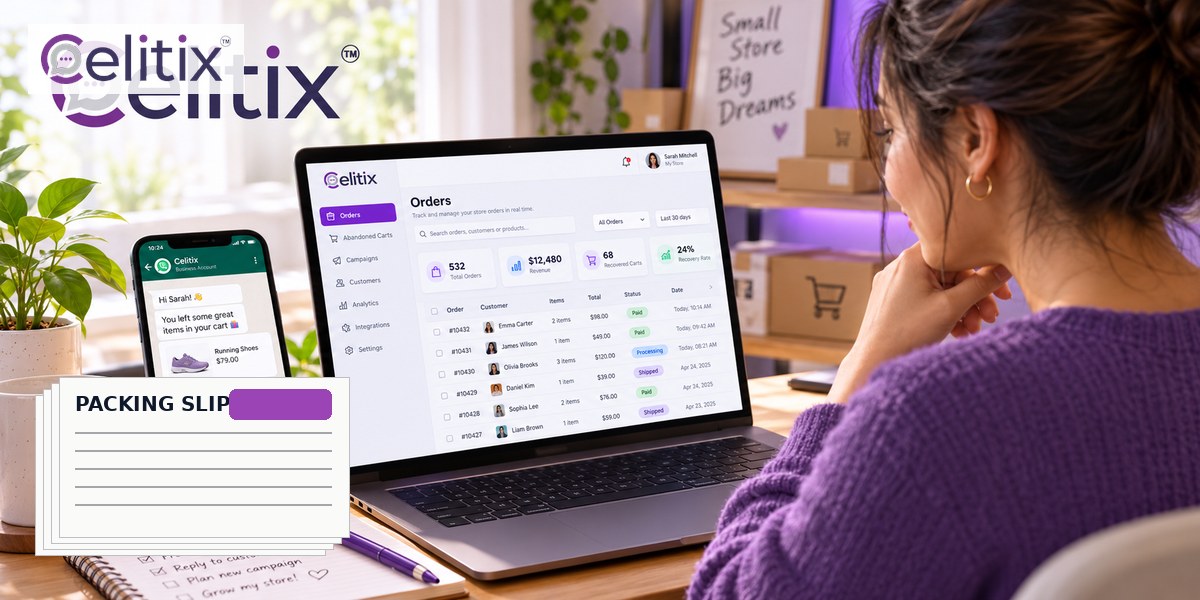
A shopify whatsapp integration is a webhook listener and a template matcher. That is genuinely all it is, whether you build it or buy it.
You register a webhook in Shopify for the events you care about.
Shopify posts the order payload to your messaging platform when one fires.
The platform reads the phone number, the order number and the tracking URL from that payload.
It matches the event to an approved template and fills the variables.
The message sends, and the delivery status comes back into your reporting.
The phone number problem
Shopify treats the phone field as optional on many themes, and customers skip optional fields. A shopify whatsapp integration with no number has nothing to send to.
Make the phone field required at checkout rather than optional.
Store it in international format with the country code.
Validate the format at entry rather than discovering the problem at send time.
Decide what happens when it is missing, which usually means falling back to SMS or email.
Shopify order notification automation, mapping events to templates
Shopify order notification automation works cleanly when each event maps to exactly one template. It breaks when two systems watch the same event.
One event, one template. Never two systems sending for the same trigger.
Name the item. A message that says your order converts worse than one naming the product.
Include the order number so a reply is actionable for your agent.
Stop on cancellation. The sequence must halt when the order does.
Test with a real order through every status, on your own phone, before launch.
That last point catches the majority of shopify order notification automation bugs before customers find them. Place an order, move it through, and count what arrives.
Whatsapp order tracking messages, getting the link right
Whatsapp order tracking messages live or die on the link. A tracking number the customer has to copy into a courier website is not a tracking message, it is homework.
Send a link, not a number. One tap should show the parcel.
Use a button where the template allows it. Buttons get pressed, raw URLs get ignored.
Make sure the domain is registered to your business if your platform requires it.
Check the link on a phone - courier tracking pages are often unusable on mobile.
Good whatsapp order tracking messages remove a support contact. Bad ones create one, because the customer messages you to ask what the number means.
Shopify abandoned checkout whatsapp, the other half
Shopify abandoned checkout whatsapp recovery is a different flow with different rules, and mixing the two is a common mistake.
It is marketing, not utility. Different template category, different pricing, stricter review.
Consent is mandatory and must be recorded at checkout.
Two or three messages maximum, starting about an hour after abandonment.
It stops on purchase. Obvious, and still the most frequent live bug.
Keep shopify abandoned checkout whatsapp sequences in their own flow with their own frequency cap. A customer should never receive a recovery message and an order confirmation in the same hour.
What this costs and what it saves
Three costs, one saving, and the saving is the one nobody measures.
Per conversation charges set by Meta, by category and country.
A platform fee from your API provider.
Setup time - verification and template approval, measured in days of waiting.
The saving - support tickets that never get raised, and deliveries that do not fail.
Measure shopify order updates whatsapp against your support ticket volume for the month before and the month after. That comparison is far more honest than message open rates.

Common questions
Do I need an app from the Shopify store?
Not necessarily. Any platform that can receive a Shopify webhook can do this. An app is one way to connect, not the only one.
Will this replace my Shopify emails?
It should not. Keep the emails as the written record and let WhatsApp carry the time sensitive updates. They reach different customers at different moments.
What if the customer does not have WhatsApp?
Set up an SMS fallback so the update still arrives. This is the main reason to run it on a platform rather than a single channel app.
Is order confirmation a marketing message?
No, it is a utility conversation, which is priced lower and reviewed more leniently. Adding a promotion to it reclassifies it and costs you more.
Can I message international customers?
Yes, though pricing varies by country and some destinations cost considerably more. Check the rates for the markets you actually ship to before you switch everything on.
Where to start with Celitix
Shopify order updates whatsapp setup means a webhook, approved templates and a verified number. Celitix handles all three at onboarding and runs the WhatsApp Business API with store and CRM integrations, a WhatsApp chatbot and WhatsApp live chat so replies reach a person.
Add bulk SMS as the fallback, RCS business messaging for richer tracking cards and two way SMS on one CPaaS platform. The retail and ecommerce page covers the sector, the WooCommerce version is here, and pricing will size it against your order volume.
Shopify documents its own order and fulfilment events if you want the store side from source: Shopify orders and fulfilment.
Book a free Celitix demo