Click to WhatsApp Ads That Start Real Conversations
Run Click to WhatsApp Ads across Facebook and Instagram, land every tap inside a WhatsApp thread your team can answer, and keep the enquiry, the follow up and the close on one number.
Connecting businesses. Building relationships.
The format
What Click to WhatsApp Ads Are and How They Work
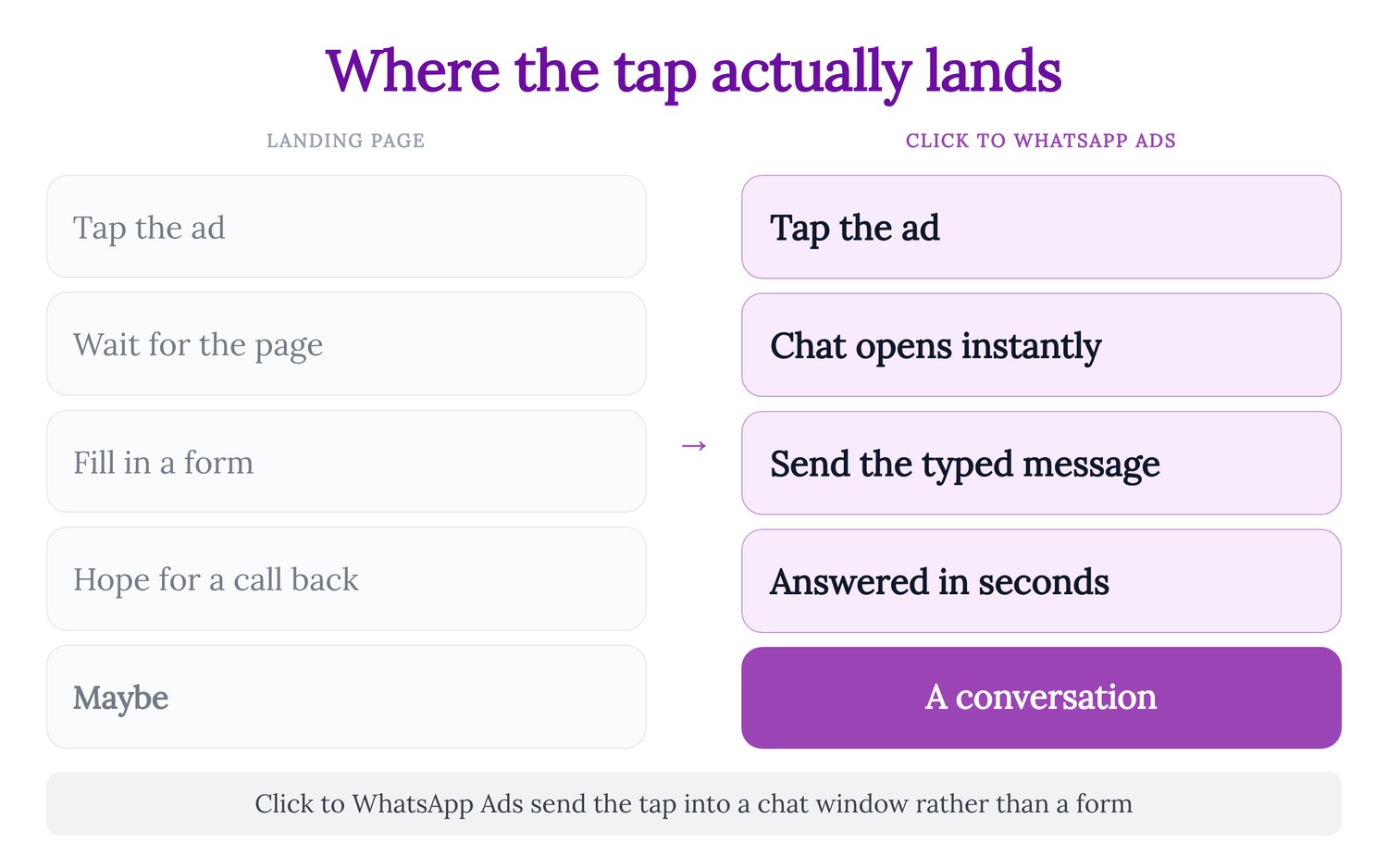
A Click to WhatsApp ad looks like any other Facebook or Instagram placement. The difference sits in the destination. Instead of a landing page, the tap opens a WhatsApp thread with a message already typed in, and the person is one send away from talking to you.
That single change moves the conversion point. A landing page asks a stranger to fill a form and wait. Click to WhatsApp Ads ask for a message, in an app they already use, with their name and number attached by default. Nothing has to be typed twice.
Meta calls the format ads that click to WhatsApp. Most Indian marketing teams say CTWA ads, or Facebook Click to WhatsApp Ads when the placement sits on Facebook. The ad unit is ordinary. The plumbing behind it is not, and that is where campaigns come undone.
No form to abandon
The enquiry arrives as a message, so there is no field to mistype and no thank you page to bounce from.A number you can reach again
Every reply gives you an opted-in contact you can follow up with inside the policy window.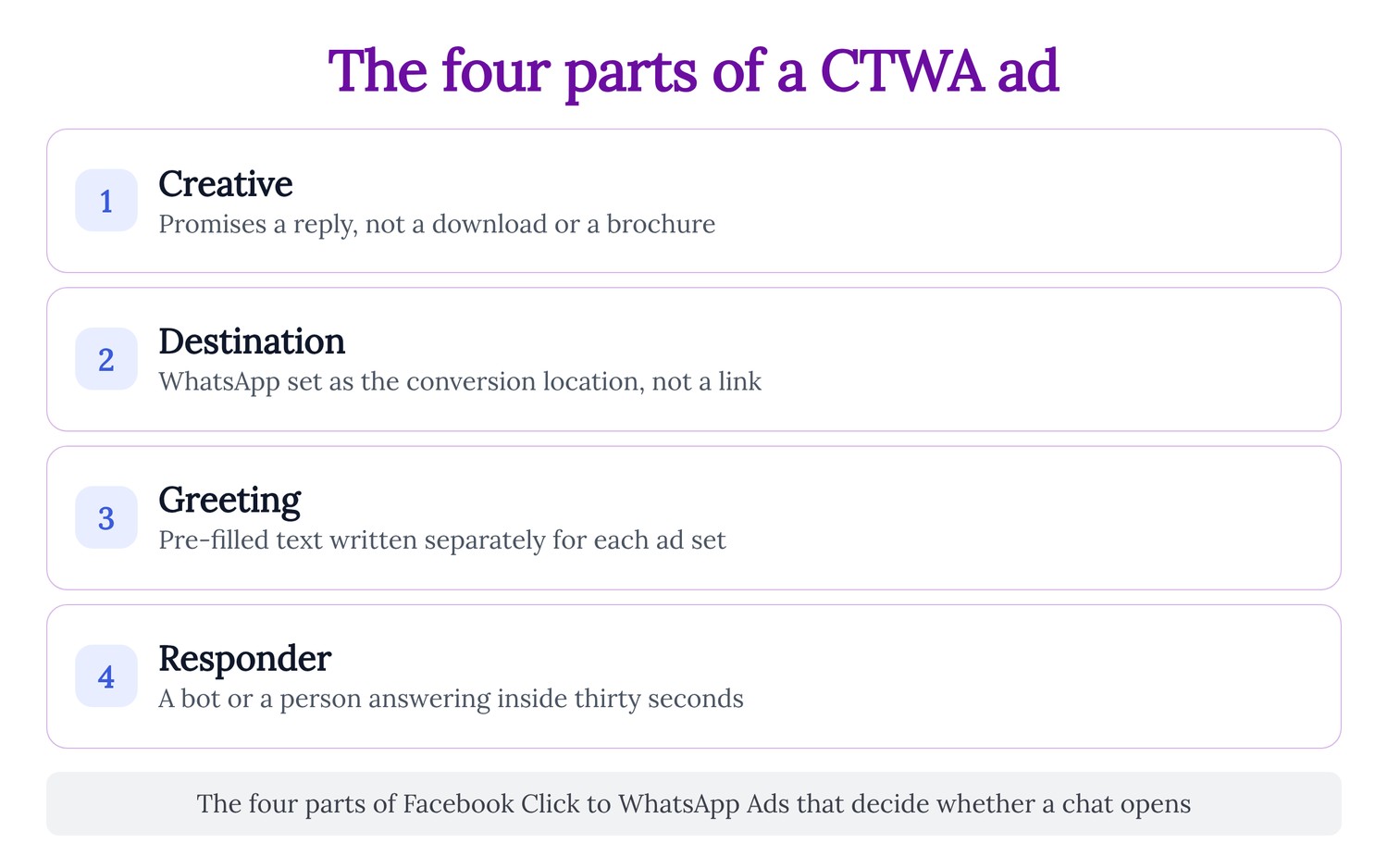
Why it works
Why WhatsApp Ads for Business Beat a Landing Page
Running WhatsApp Ads for Business is not only about a cheaper lead. It changes what you get back, how fast you get it, and how much of it survives to the sales team.
Replies, not form fills
A message carries context a form never does. People describe what they want in their own words, which makes the lead easier to qualify before anyone calls.
Identity comes free
The WhatsApp profile supplies a verified mobile number. No fake numbers, no typos, and no second confirmation step to lose people in.
Follow up is already allowed
The person messaged first, so the thread is open. You can answer, send a quote and nudge once more without starting a cold outreach cycle.
One thread, whole history
Ad, question, quote and order sit in the same conversation. Nobody has to stitch a form record to a call log to work out what was promised.
Automation handles the first minute
A chatbot can greet, qualify and route while the buyer is still interested, then hand a warm thread to a human with the answers already collected.
Measurable at the conversation level
You can count opened chats, replies and qualified threads per ad set, which is a far better signal than a landing page bounce rate.
The build
How the Click to WhatsApp Ads Setup Works, Step by Step
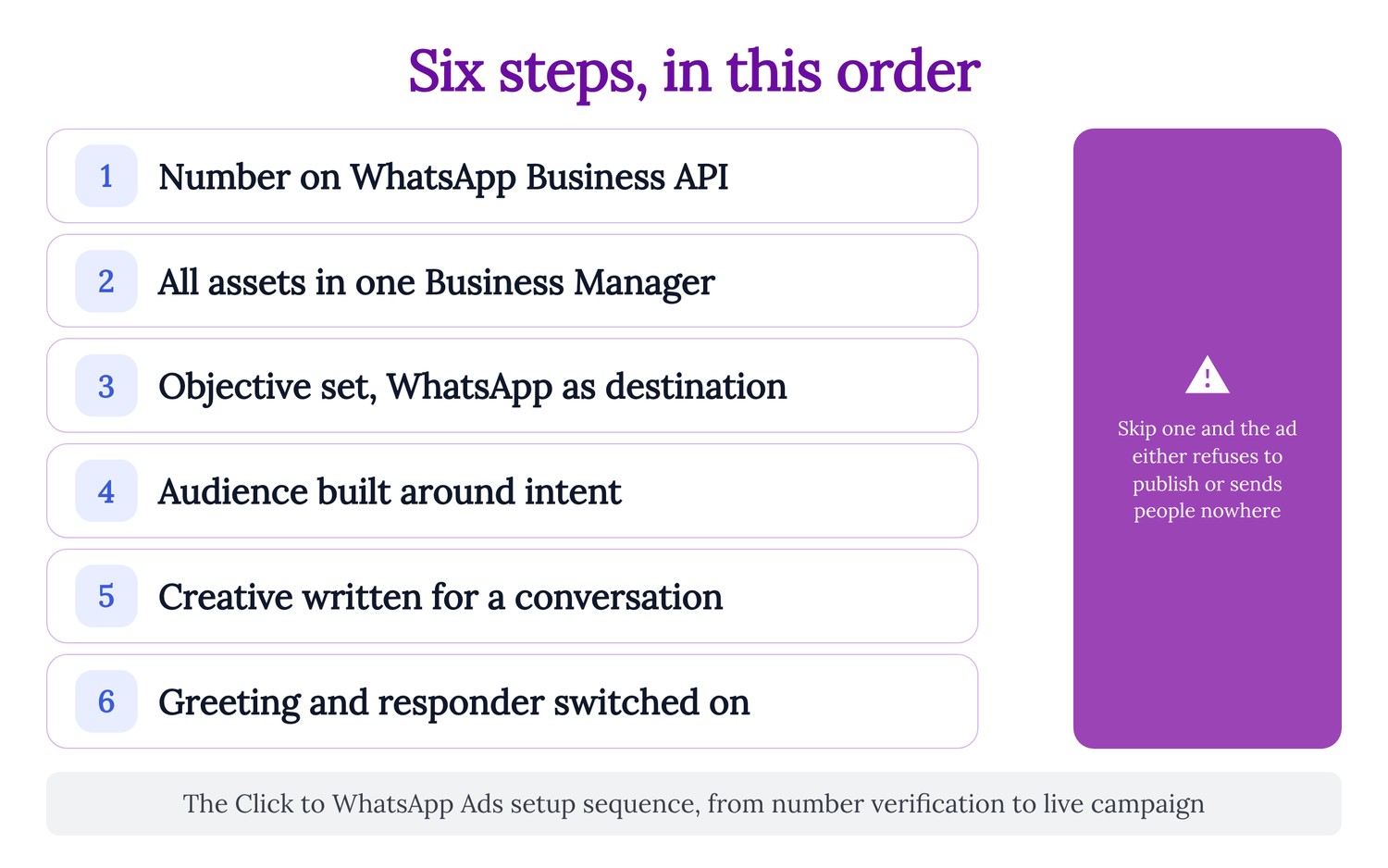
The Click to WhatsApp Ads setup is not difficult, but the order is unforgiving. Skip a step and the ad either refuses to publish or publishes and sends people nowhere.
Get the number on WhatsApp Business API
A personal WhatsApp or the free Business app will not carry ad traffic at volume. The number has to sit on the WhatsApp Business API with a display name approved by Meta.
Link the assets in Business Manager
The WhatsApp account, the Facebook Page and the ad account must sit under the same Business Manager. Mismatched ownership is the single most common publish failure.
Pick the right objective
Choose Engagement or Sales, then set WhatsApp as the conversion location. Traffic campaigns pointed at a wa.me link are a different, weaker product.
Build the audience around intent
Broad audiences work well here because the chat filters for you. Layer interest and lookalike sets only once you have enough conversations to model from.
Write the creative for a conversation
The image or video has to promise a reply, not a download. Buttons read Send Message or Chat on WhatsApp, and the copy should say what you will answer.
Set the greeting and the responder
The pre-filled message is a tracking field as well as an opener. Give every ad set its own wording, then make sure a bot or a person answers within seconds.
The bill
What Click to WhatsApp Ads Cost in India
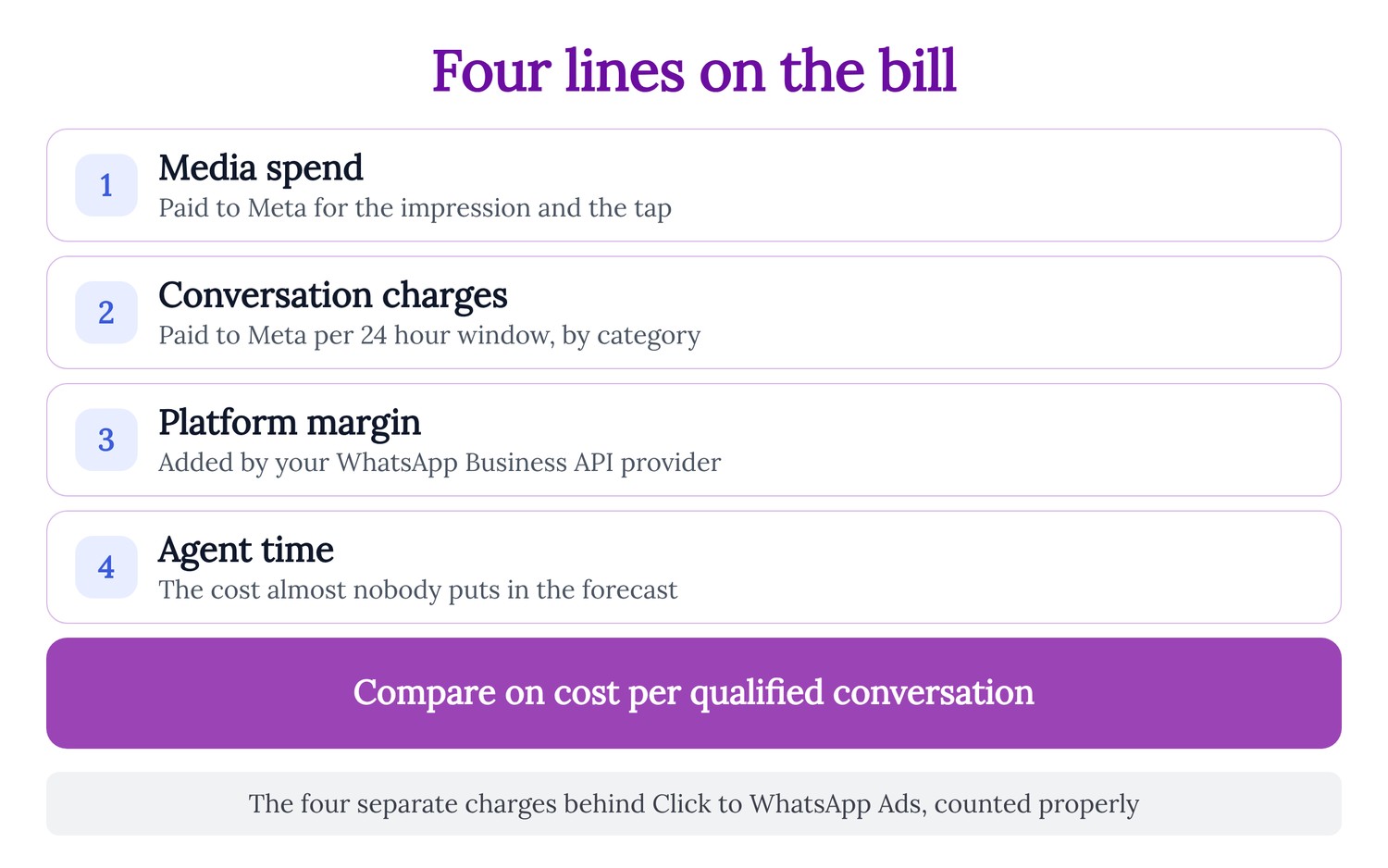
There is no single price. Spend on this format splits into four lines, and teams that budget for only the first one are the teams that call the channel expensive later.
Meta bills the click and then bills again when a conversation window opens. The platform carrying your WhatsApp Business API adds its own margin, and somebody has to be paid to answer. Count all four before you compare the channel to anything else.
The honest way to compare Click to WhatsApp Ads with search or display is cost per qualified conversation, not cost per click. Work it out on your own numbers rather than on a benchmark from another industry.
Media spend
What you pay Meta for the impression and the tap. Behaves like any other Facebook or Instagram buy and moves with your audience and season.
Conversation charges
Meta charges per 24 hour conversation window by category. A chat the customer starts is cheaper than one you open later with a template.
Platform margin
Your API provider adds a per message or per conversation margin on top of the Meta rate. Ask for the rate card in writing before you sign.
Agent time
The cost nobody forecasts. A campaign that produces 400 chats a day needs people or automation to answer them, or the money is already wasted.
Attribution
How to Track CTWA Ads Without Guessing
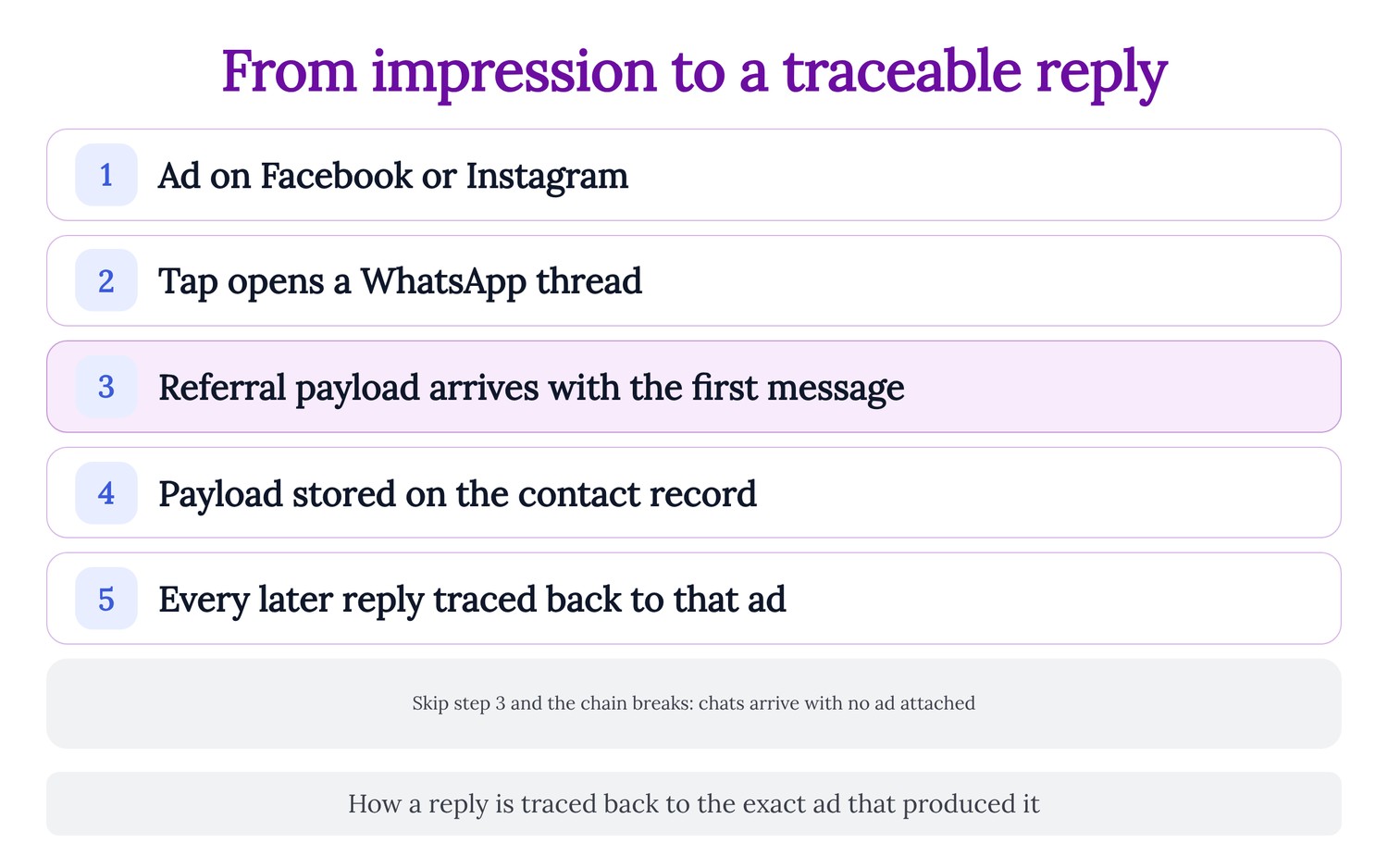
This is where most reporting falls apart. The tap happens on Meta, the conversation happens on WhatsApp, and nothing joins the two unless you make it join.
WhatsApp passes a referral payload with the first inbound message, carrying the ad and ad set that produced it. If your platform stores that payload against the contact, every later reply, quote and order can be traced back to the exact creative that paid for it.
This is the one capability worth checking before you sign with any provider. Ask to see a contact record created by Facebook Click to WhatsApp Ads and confirm the ad identifiers are actually stored on it, not merely displayed once in a live feed and then discarded.
Where the payload is not stored, use a distinct pre-filled greeting per ad set as a crude fallback. It is less reliable than the payload because people edit the text, but it beats reporting a single undifferentiated pile of chats to a client.
- Chats opened per ad set, not clicks, as the first real signal of interest.
- Reply rate, which tells you whether the creative promised something worth answering.
- Median time to first response, the number that quietly decides your conversion rate.
- Qualified conversations, defined once and counted the same way every week.
- Cost per qualified conversation, the only figure worth putting in front of a finance team.
Avoid these
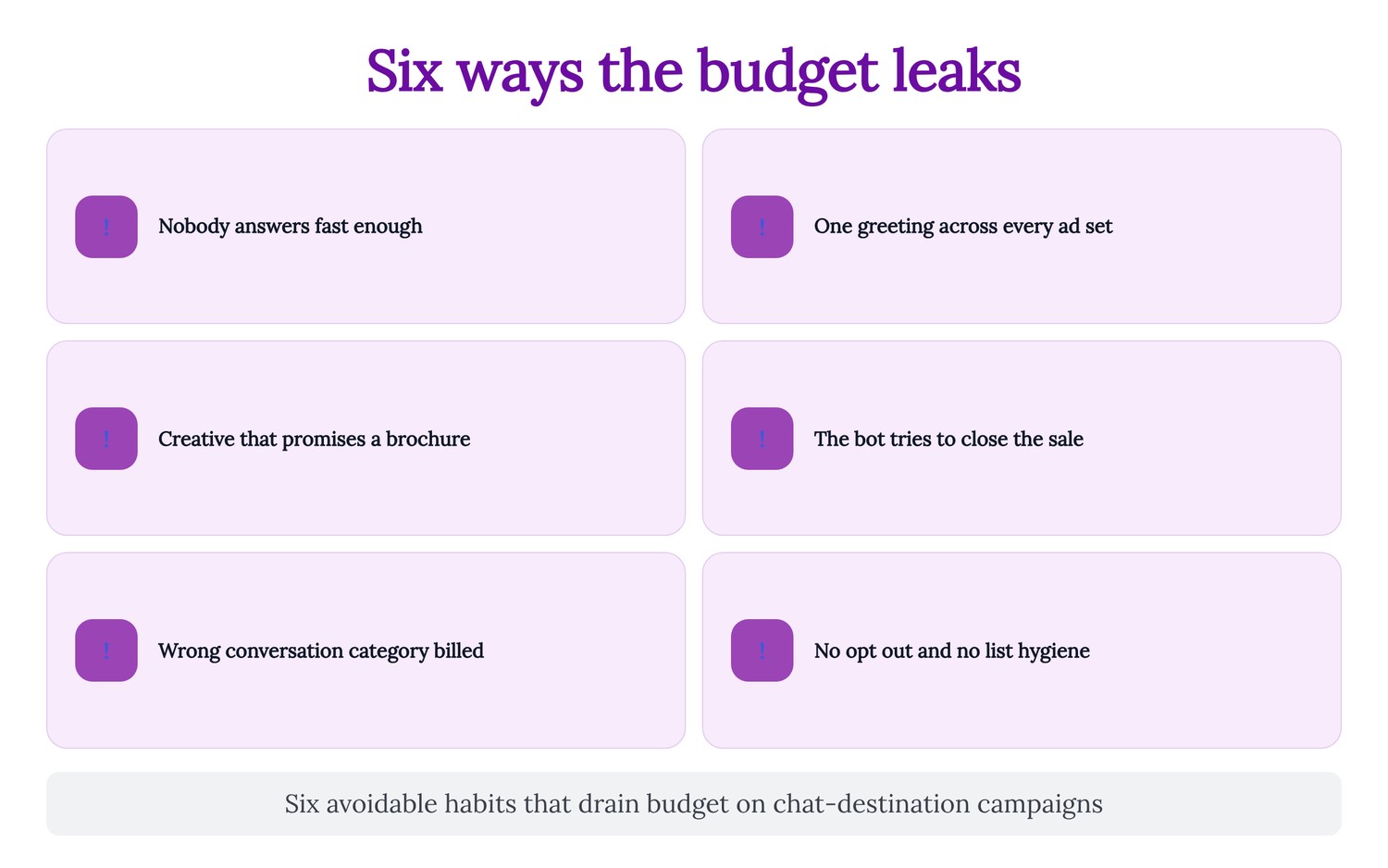
Six Mistakes That Quietly Waste CTWA Ads Budget
None of these break a campaign outright. Each one drains it slowly, which is exactly why they survive for months inside otherwise well run accounts.
Nobody answers fast enough
Interest decays in minutes. A thread answered the next morning is a cold lead you already paid full price for.
The same greeting on every ad set
One shared opener destroys attribution. You end up reporting a single pool of chats with no idea which creative earned them.
Creative that promises a brochure
If the ad implies a download, the chat opens with confusion. Promise an answer, a price or a slot instead.
Treating the bot as the whole funnel
Automation should qualify and route. When it tries to close, people stop replying and the thread dies quietly.
Ignoring the conversation category
Marketing, utility and service conversations are billed differently. Sending the wrong template type raises the bill for no extra result.
No opt out and no list hygiene
Blocks and reports feed back into quality ratings. A number with a poor rating gets throttled, and that affects every campaign on it.
Before you launch
A Click to WhatsApp Ads Launch Is Mostly Checking
Nine things worth confirming on the morning of launch. Every one of them has, at some point, been the reason a campaign spent a day sending people nowhere.
Open the pre-launch checklist before you publish
- Display name approved by Meta and showing correctly on the business profile.
- WhatsApp account, Facebook Page and ad account all inside one Business Manager.
- Conversion location set to WhatsApp rather than a website or a wa.me link.
- A distinct pre-filled greeting written for every single ad set in the campaign.
- Automated first reply live and tested from a phone that has never messaged you.
- Agent routing rules set, with a named owner for chats outside working hours.
- Referral payload confirmed as stored against the contact, not just displayed.
- Opt out wording present in the first automated message and actually working.
- Quality rating checked on the number, and messaging limits known before launch.
Meta publishes the current behaviour of the format on its own ads that click to WhatsApp page, and the billing rules sit in the Meta Business Help Centre. Both change often enough to be worth re-reading each quarter.
Celitix Editorial Team
CPaaS and WhatsApp Business API specialists, JaipurThe Celitix editorial team builds and supports WhatsApp, RCS and SMS messaging infrastructure for Indian brands, government bodies and enterprises. This guide reflects patterns seen across live advertising accounts rather than a theoretical walkthrough of the Meta interface.
Put your next campaign where people actually reply
Talk to the team about running Click to WhatsApp Ads on a verified number, with automation on the first reply and attribution that survives the handover to sales.