How rcs messaging works, from brand verification to the handset
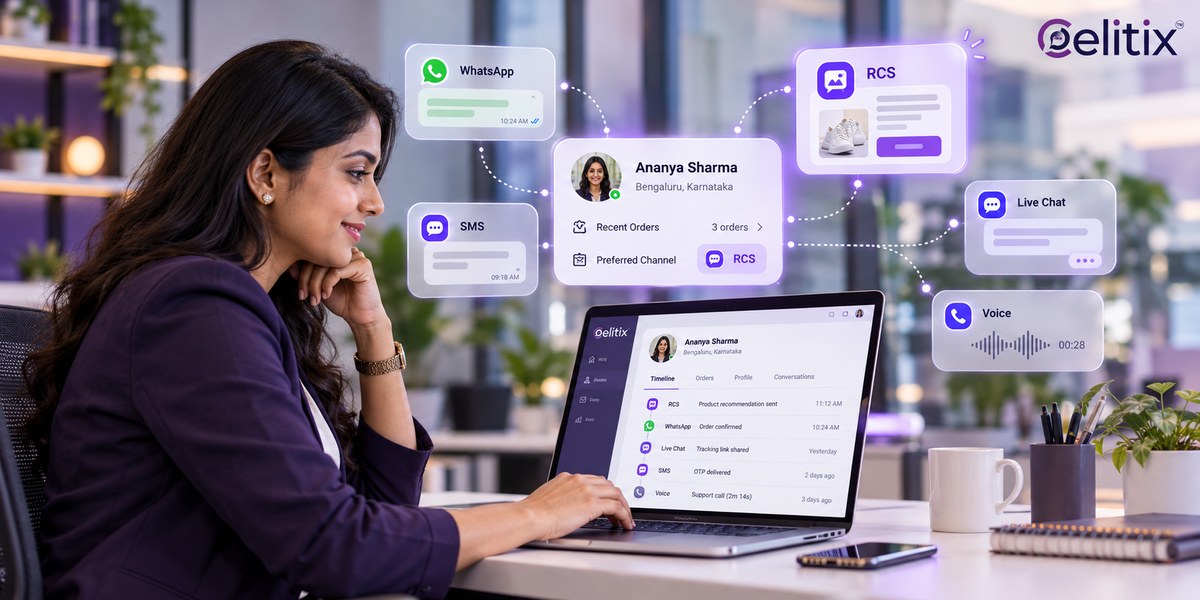
Open your phone's messaging app. Most of what sits there is grey text from six digit sender IDs you do not recognise. Now picture the same inbox with your brand name, your logo and a tappable image.
That is the change, and how rcs messaging works is the mechanism behind it. This guide covers the delivery path, what a verified sender is, what the rich formats can carry, and what it takes to go live in India.
Key takeaways
RCS is a carrier upgrade to SMS, not an app. The customer installs nothing.
Your brand is onboarded as a verified sender before a single message can go out.
Every message template is registered and approved, the same discipline as DLT on SMS.
Handsets that cannot render RCS need an SMS fallback, or those customers get nothing.
Billing is usually per conversation, not per segment, so a long thread can cost less than four SMS.
What RCS is, and how rcs messaging works end to end
RCS stands for Rich Communication Services, a GSMA standard that replaces the thirty year old SMS format. It runs over data through the carrier network and renders inside the handset's own messaging app.
Understanding how rcs messaging works starts with that last point. There is no app to install and no account to create. The inbox the customer already uses simply starts showing richer messages from brands that qualify.
That is the short version of how rcs messaging works. The practical consequence is reach. Anyone who can receive a text can, in principle, receive RCS, provided their handset and carrier support it. That is a very different starting position from an app based channel.
Rcs messaging explained in six steps
Brand onboarding - What happens: Your business is registered and verified as a sender. Who controls it: Aggregator and carrier.
Template registration - What happens: Each message format is submitted and approved. Who controls it: Carrier.
Send - What happens: Your platform calls the API with a template and recipient. Who controls it: You.
Capability check - What happens: The network checks whether that handset can render RCS. Who controls it: Network.
Delivery or fallback - What happens: RCS if supported, SMS if not. Who controls it: Your platform.
Callbacks - What happens: Delivered, read and tap events return to your system. Who controls it: Network, then you.
With rcs messaging explained as a sequence rather than a feature list, the capability check is the step people miss. It happens per message, not once per customer, because a person can change handset or move onto a network that has not enabled the feature yet.
What a verified sender rcs profile actually is
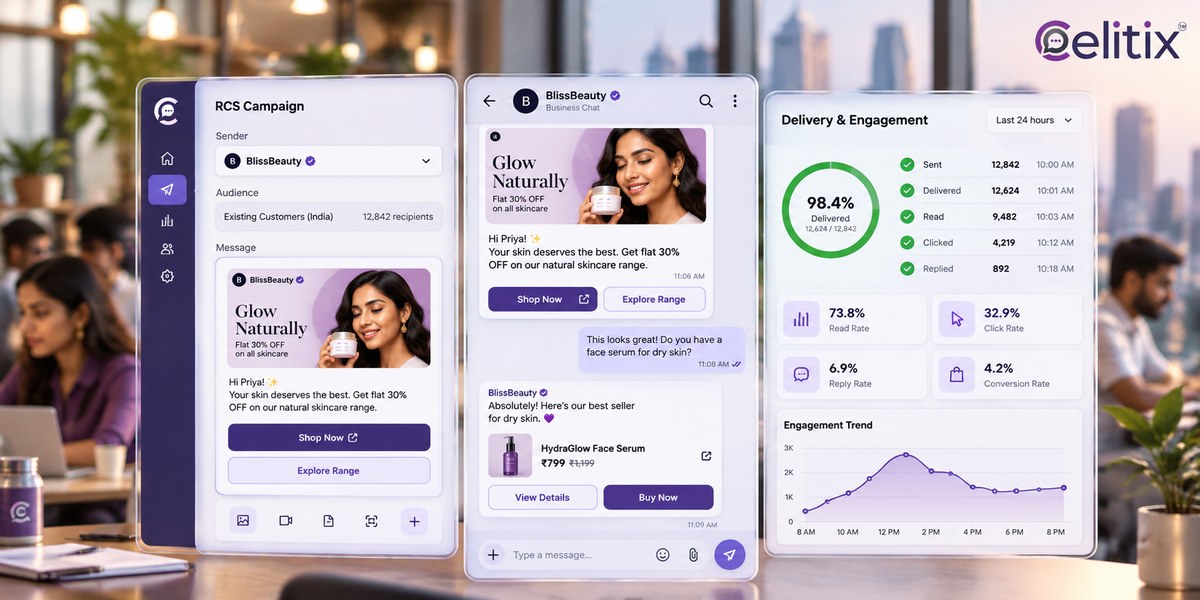
A verified sender rcs profile is the brand identity the handset displays: your name, your logo, a short description and a tick confirming the carrier checked you. It is what separates RCS from a spoofable sender ID.
This is the part of how rcs messaging works that involves people rather than code. Getting one means submitting company registration details, the contact information customers will see, and sample messages. Carriers reject profiles with mismatched details, so the paperwork is worth doing once, properly.
Why how rcs messaging works matters for Indian brands
India sends an enormous volume of transactional SMS, and almost all of it looks identical to the recipient. A delivery alert from a national retailer is visually indistinguishable from a phishing attempt.
Verification is where how rcs messaging works pays off. When the sender is confirmed and branded, the message carries trust the plain text version never had, which is the real reason read rates move rather than any formatting trick.
What India adds to the process
Commercial messaging here already runs through DLT registration for SMS, with entity registration, approved headers and approved templates. RCS adds its own brand verification and template approval on top.
Anyone learning how rcs messaging works in India meets this twice over. That sounds like duplication, and it is. The practical advice is to run both approval queues together rather than sequentially, because the paperwork overlaps and the waiting does not.
Rcs chat features you can actually use
Branded sender - name, logo and verification tick inside the native inbox.
Rich cards - an image, a heading, body text and up to four tap targets.
Carousels - several cards swiped horizontally, useful for a product shortlist.
Suggested replies - buttons that send a fixed response, so the customer types nothing.
Suggested actions - open a URL, dial a number, or add a calendar entry in one tap.
Read receipts and typing indicators - the same signals people expect from a chat app.
Those rcs chat features are the whole point of the upgrade. Used carelessly they turn a delivery alert into an advert, which is the fastest way to get a customer to block the sender.
What rcs rich card messaging can carry
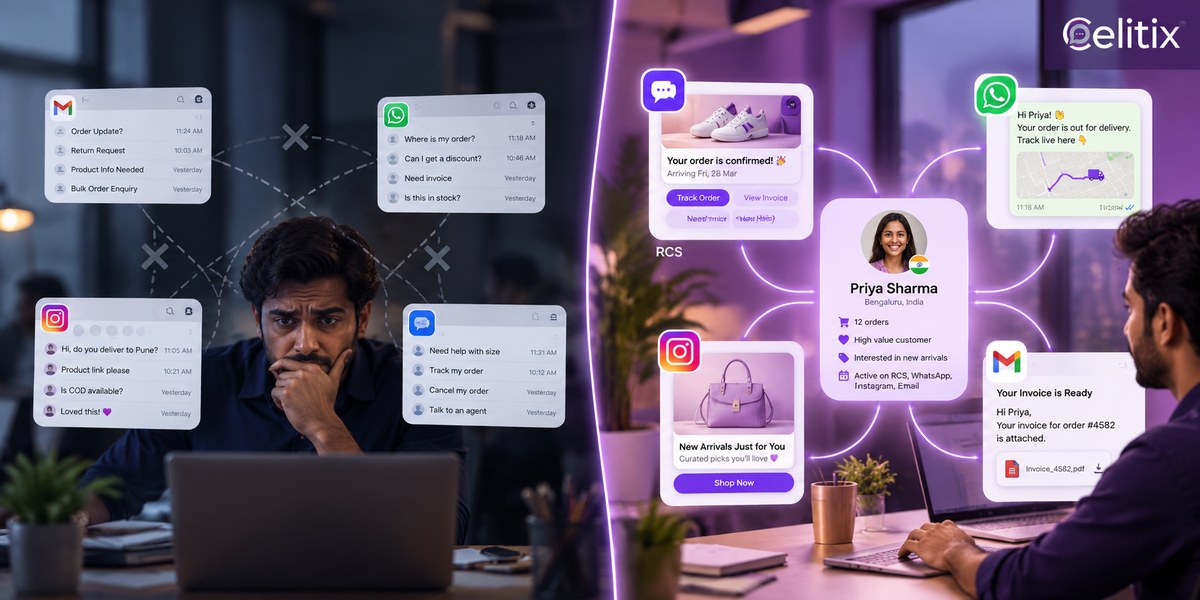
A rich card is the format most brands adopt first, and rcs rich card messaging is where the difference from SMS is most obvious to the recipient. One card replaces a text message plus a shortened link.
Image - Limit in practice: One, landscape or square. Typical use: Product shot or order status graphic.
Title - Limit in practice: Short, one line. Typical use: Order shipped, appointment confirmed.
Description - Limit in practice: A few lines. Typical use: Order number, date, amount.
Suggested actions - Limit in practice: Up to four. Typical use: Track, reschedule, call, pay.
Fallback - Limit in practice: Plain SMS equivalent. Typical use: Handsets without RCS support.
How rcs messaging works rewards restraint here. Keep the card doing one job. The temptation is to add a fourth button because the format allows it, and the result is a customer who taps nothing because the choice was not obvious.
How to roll it out in stages
Start with one transactional journey
Order confirmations or delivery updates. They prove the brand verification, the template approval and the fallback path without putting a campaign at risk.
Test the fallback before you scale
Send to a handset you know cannot render RCS and confirm the SMS arrives with the same information. If the fallback is missing or incomplete, your reach quietly drops below what plain SMS marketing already gave you.
Measure against your SMS baseline
Read rate first, then tap through on the card, then the proportion that fell back to SMS. Those three numbers tell you whether the upgrade is worth the approval overhead on your volumes.
Only then move promotional traffic
Once you trust how rcs messaging works on transactional traffic, promotion follows. Marketing messages cost more and carry more risk of a block. Move them once the transactional path has run clean for a few weeks, not on day one.
Where it fits next to your other channels
Against SMS
Same reach, far more capability, more setup. RCS business messaging does not replace the SMS layer, it sits on top of it with SMS underneath as the guaranteed floor.
Against WhatsApp
The WhatsApp Business API wins on two way conversation depth. RCS wins when you need the native inbox and no app install. Most Indian brands run both.
Against a live agent
A suggested action can hand a customer straight into RCS live chat or to click to call, which is where the rich format earns its keep.
Mistakes that stall an RCS launch
Skipping the fallback - the single most common cause of reach dropping after launch.
Submitting templates late - approval is not instant and campaigns do not wait.
Treating it as a cheaper SMS - the per conversation model rewards threads, not blasts.
Four buttons on every card - choice paralysis reads as clutter on a small screen.
Mismatched brand details - the fastest way to have a verification rejected.
What to ask before you choose a provider
Who holds the brand verification? - it should be registered to you, not the vendor.
Show me a live fallback - one send, two handsets, one with RCS and one without.
What is the billing unit? - per conversation or per message, in writing.
How long is template approval taking right now? - ask for last month's actual average.
Which carriers are live? - coverage is not uniform and it changes.
What events come back? - delivered, read and tap, or only delivered.
However the demo is framed, those six answers tell you whether how rcs messaging works in that provider's setup matches how it works on paper.
Common questions
Do customers need to install anything to receive RCS?
No. Messages arrive in the handset's existing messaging app. That is the central advantage over any app based channel, and it is the first thing to explain internally.
Does RCS work on iPhone?
Apple added RCS support, so iPhone users can receive rich messages in the native Messages app, subject to carrier rollout. Coverage is still uneven, which is why the fallback matters.
Is it more expensive than SMS?
Per conversation it can work out cheaper than the equivalent four or five SMS segments, but the unit is different. Confirm the billing model before you compare the two on price.
What happens if the handset cannot render it?
Your platform should fall back to SMS automatically with the same information. If it does not, those customers receive nothing at all.
How long does brand verification take?
Usually days rather than weeks once the paperwork is complete and consistent. Mismatched company details are the commonest reason it takes longer.
Where to start with Celitix
Celitix implements how rcs messaging works end to end, running RCS alongside SMS, WhatsApp, website chat and voice on one CPaaS platform, so the fallback is built in rather than bolted on. Industry examples sit on the retail and ecommerce and financial services pages, and pricing will size it.
Google publishes the technical specification for business messaging if you want the detail behind the delivery path: RCS Business Messaging documentation.
Book a free Celitix demo